KeyStrokes keys widget can be placed out of the box


Description
Description:
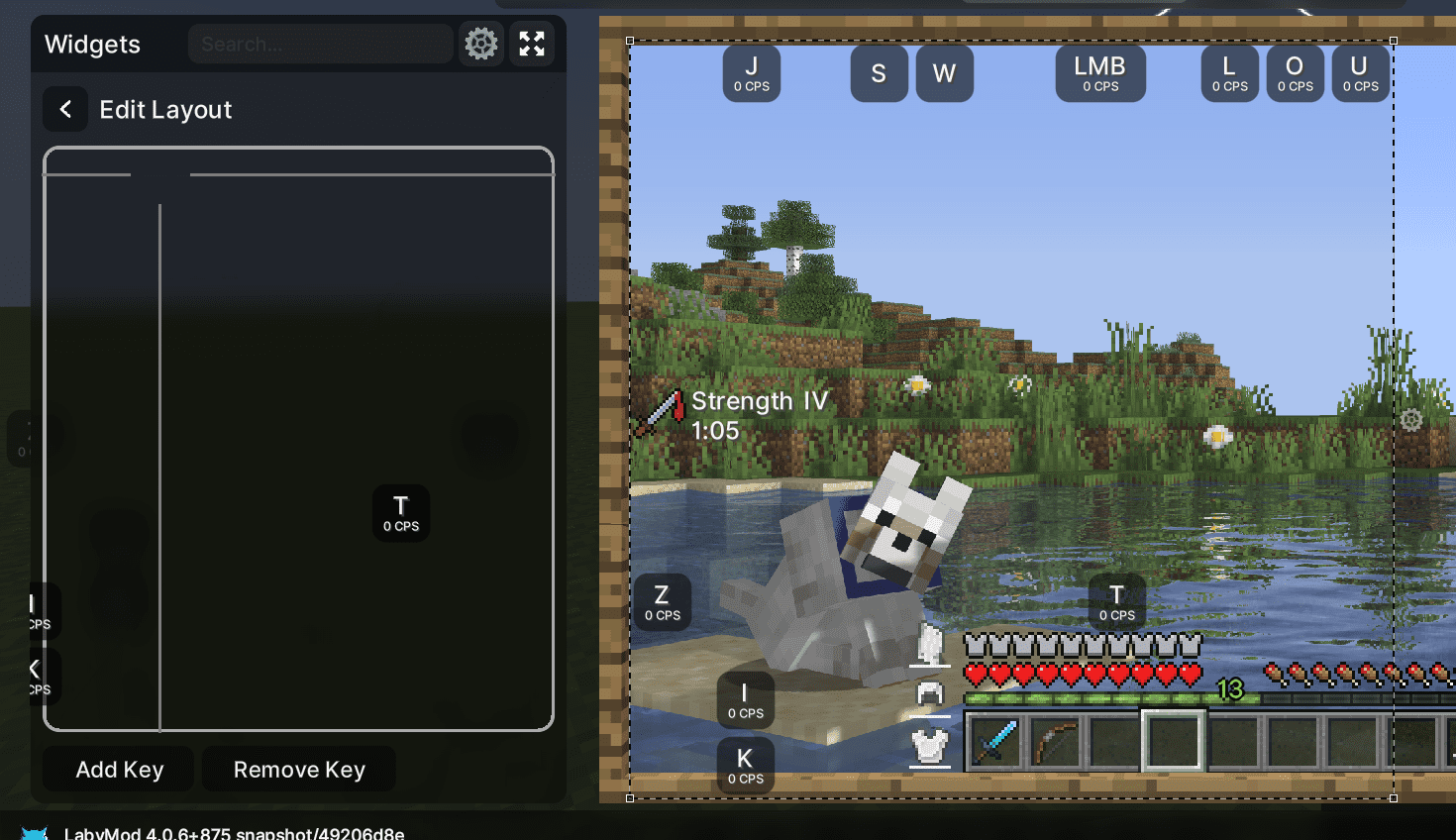
In the Widget settings when having the addon "KeyStrokes" installed, it is possible to add/remove keys from the Widget. However it was noticed that sometimes when the player is adding lots of keys or removing them while having them set to different positions, then it can be noticed that some keys are being placed outside of the designated area and the user is unable to click on these keys to change their position.
Reproduction steps:
- Start LabyMod
- Make sure you have the "KeyStrokes" addon installed
- Go to LabyMod > Widgets and add the KeyStrokes Widget
- Rightclick on the KeyStrokes and press on Settings
- Press on "Edit Layout"
- Add multiple keys via "Add Key"
- Place the keys at different positions like at the top corners and such
- Remove some keys or add more keys
- Notice that some keys are being placed outside of the designated box and cannot be clicked by the player.
Observed result:
Adding/Removing keys in the KeyStrokes Widget causes the keys to be placed outside of the designated area.
Expected result:
The keys should always stay at the designated area.
Screenshot:
Operating System: Windows 10
LabyMod Version: 4.0.6+875 snapshot/49206d
Minecraft Version: 1.20.1
Installed Addons: Item Physics, Custom Crosshair, Laby's Waypoints, CustomBlockOverlay, KeyStrokes, DamageIndicator, CustomNameTags, Ressourcepacks24, Flux, BetterPerspective, ToggleSneak